GADGETS | Apple introduces Apple Creator Studio, an inspiring collection of powerful creative apps
Final Cut Pro, Logic Pro, Pixelmator Pro, Motion, Compressor, and MainStage — plus new AI features and premium content in Keynote, Pages, and Numbers — come together in a single subscription.
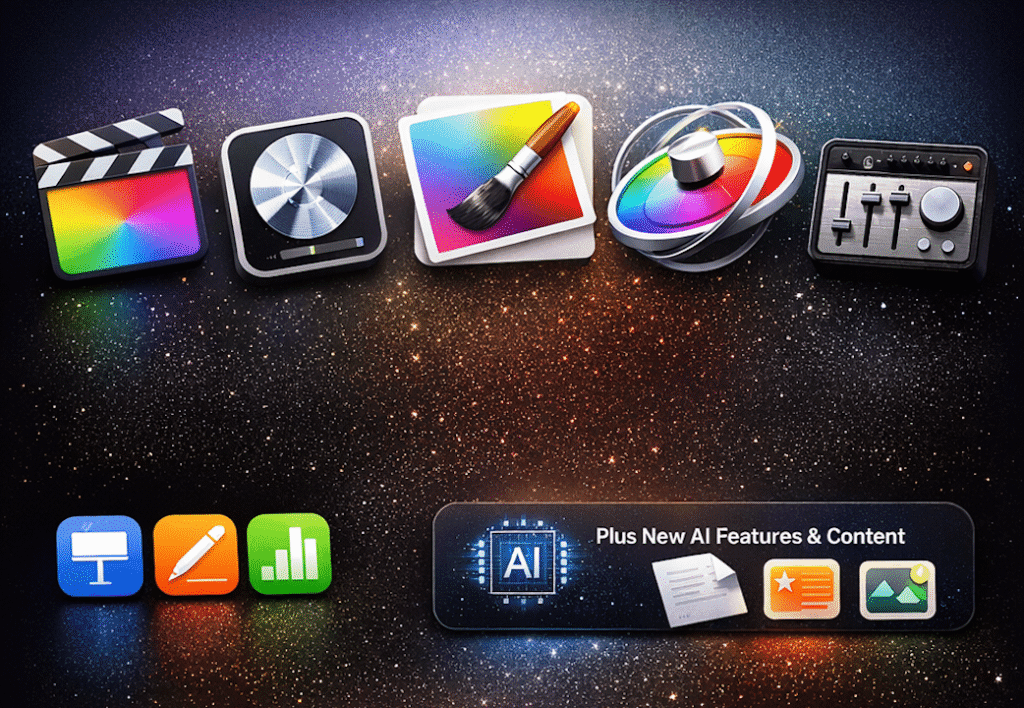
Apple today unveiled Apple Creator Studio, a collection of creative apps designed to put studio-grade tools into the hands of creators, building on the role Mac, iPad, and iPhone play in the lives of millions of users worldwide. The apps included with Apple Creator Studio for video editing, music creation, creative imaging, and visual productivity give creators the features they need to edit and tailor content while realizing their artistic vision. New intelligent features and premium content build on familiar experiences in Final Cut Pro, Logic Pro, Pixelmator Pro, Keynote, Pages, Numbers, and later Freeform to make Apple Creator Studio a subscription suite aimed at creators across disciplines while emphasizing user privacy.
Final Cut Pro introduces new video editing tools and intelligent features for Mac and iPad to improve workflow efficiency. For the first time, Pixelmator Pro is coming to iPad with an experience optimized for touch and Apple Pencil. Music creation with Logic Pro for Mac and iPad adds intelligent features such as Synth Player and Chord ID to support writing, producing, and mixing music. With Keynote, Pages, Numbers, and Freeform, Apple Creator Studio subscribers gain access to new premium content and intelligent features across Mac, iPad, and iPhone.
Apple Creator Studio will be available on the App Store beginning Thursday, Jan. 29, for ₱399 per month or ₱3,990 per year, with a one-month free trial. The subscription includes access to Final Cut Pro, Logic Pro, and Pixelmator Pro on Mac and iPad; Motion, Compressor, and MainStage on Mac; and intelligent features and premium content for Keynote, Pages, Numbers, and later Freeform on iPhone, iPad, and Mac. College students and educators can subscribe for ₱149 per month or ₱1,490 per year. Users may also purchase the Mac versions of Final Cut Pro, Pixelmator Pro, Logic Pro, Motion, Compressor, and MainStage individually as one-time purchases on the Mac App Store.
“Apple Creator Studio is a great value that enables creators of all types to pursue their craft and grow their skills by providing access to tools for video editing, music creation, creative imaging, and visual productivity, enhanced with intelligent features to support workflows,” said Eddy Cue, Apple’s senior vice president of Internet Software and Services. “It offers a flexible way to get started with a collection of creative apps for professionals, artists, entrepreneurs, students, and educators to do their work and explore creative ideas from start to finish.”
Video creation gets smarter, faster
Final Cut Pro for Mac and iPad provides tools for content creators, video editors, and filmmakers. One-time-purchase Mac users and Apple Creator Studio subscribers can take advantage of performance optimized for Apple silicon and new on-device intelligent features designed to streamline video creation.
Transcript Search on Mac and iPad allows users to find specific soundbites by typing phrases into the search bar to locate exact or related results. Visual Search enables users to identify moments across footage by searching for objects or actions and adding clips to the timeline.
Final Cut Pro also introduces Beat Detection, which displays beats, bars, and song parts in the timeline. Using an AI model from Logic Pro, Beat Detection analyzes music tracks and presents a beat grid to help align edits with music.
The new Montage Maker in Final Cut Pro for iPad uses AI to assemble a video based on key visual moments. Users can adjust pacing, sync edits to music, and reframe horizontal videos to vertical formats using Auto Crop.
Apple Creator Studio also includes Motion, a motion graphics tool for creating 2D and 3D effects, and Compressor, which integrates with Final Cut Pro and Motion to customize output settings.
Taking music creation to the next level
Logic Pro for Mac and iPad introduces new features for music creation available to Apple Creator Studio subscribers and one-time-purchase Mac users.
Synth Player joins the Session Player lineup, offering electronic music performances powered by AI and Logic Pro’s software instruments. Users can control complexity and intensity while accessing third-party Audio Units or external hardware synthesizers.
Chord ID analyzes audio or MIDI recordings to generate chord progressions automatically, allowing users to experiment with styles and genres more efficiently.
Logic Pro for Mac includes an updated Sound Library with Apple-designed packs and Producer Packs. Logic Pro for iPad now supports Quick Swipe Comping and introduces Music Understanding features with natural language search in the Sound Browser.
Apple Creator Studio also includes MainStage, which allows users to use Mac as a live performance instrument or processor.
Creative imaging designed for iPad
Pixelmator Pro comes to iPad with a touch-optimized workspace, Apple Pencil support, and cross-device workflows between iPad and Mac. The app includes tools for image editing, drawing, and design, optimized for Apple silicon and iPadOS.
Pixelmator Pro supports layers, smart selections, bitmap and vector masks, and features such as Super Resolution, Deband, and Auto Crop. Apple Pencil support enables precision through pressure sensitivity, hover, squeeze, and double-tap gestures.
Apple Creator Studio subscribers gain access to additional tools, including a new Warp feature and Warp-powered mockups in Pixelmator Pro for Mac and iPad.
Supercharging visual productivity
Keynote, Pages, Numbers, and Freeform receive new premium content and intelligent features through Apple Creator Studio. A new Content Hub offers curated photos, graphics, and illustrations, along with premium templates and themes.
Advanced image creation tools allow users to generate or modify images using generative models from OpenAI. On-device AI supports Super Resolution and Auto Crop.
Keynote introduces beta features such as generating presentations from outlines and creating presenter notes. Numbers adds tools for generating formulas and filling tables using pattern recognition.
Keynote, Pages, Numbers, and Freeform remain free for all users and will continue to receive updates, including support for the new visual design language with Liquid Glass and windowing improvements in iPadOS 26.
Pricing, availability
Apple Creator Studio will be available beginning Thursday, Jan. 29, for ₱399 per month or ₱3,990 per year, including a one-month free trial. Customers who purchase a new Mac or qualifying iPad may receive three months of Apple Creator Studio at no cost.
Education pricing is available for college students and educators at ₱149 per month or ₱1,490 per year.
Apple Creator Studio is available as a universal download on the App Store. Up to six family members can share the subscription through Family Sharing.
One-time-purchase versions of Final Cut Pro (₱19,990), Logic Pro (₱12,990), Pixelmator Pro (₱2,990), Motion (₱2,990), Compressor (₱2,990), and MainStage (₱1,990) are available on the Mac App Store.


![[Image] A panel discussion at the International Talent Forum](https://techsabado.com/wp-content/uploads/2026/03/Image-A-panel-discussion-at-the-International-Talent-Forum-300x161.jpg)
